Release Notes

We ship quickly and deliver tight quality.

2.9.23

New Features:

Highlight segments: Draw attention to any area of your recording by dimming the rest of the screen. Adjust the highlighted region, roundness, and feather for a polished look. Available to all users.

Improvements:

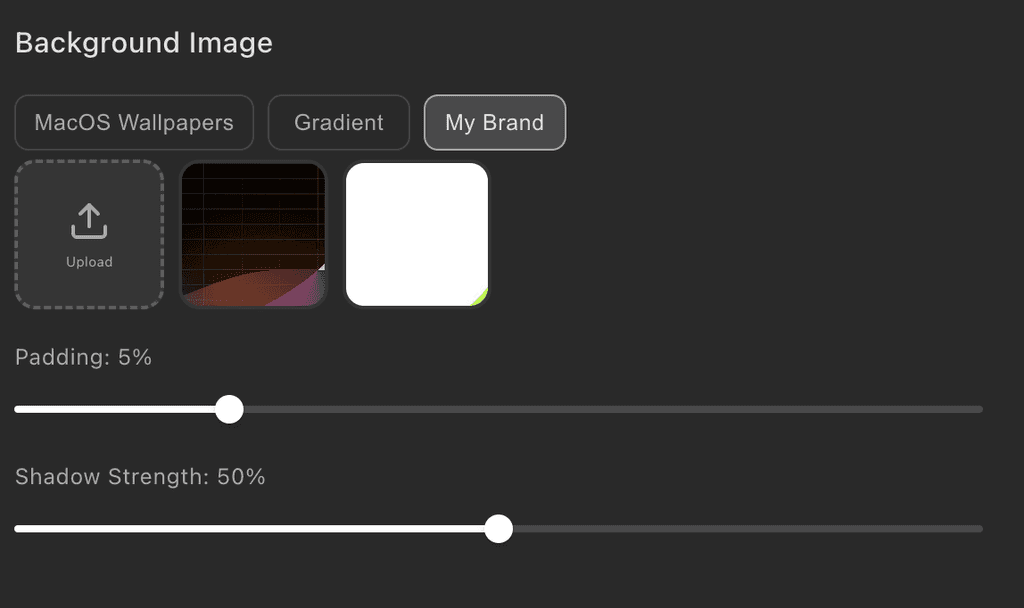
Stronger background shadow option for more dramatic depth effects.

Cleaner color picker with the "No fill" option merged directly into the popover.

Text style presets now properly reset to defaults when switching between them.

Bug Fixes:

Fixed blur masks occasionally appearing black instead of blurred.

Fixed oversized background images not displaying correctly.

2.9.22

Improvements:

Minor adjustments to shareable links and cursor motion blur.

2.9.21

New Features:

Shareable video links: Share recordings as a link anyone can watch in the browser. Manage all your shared links from a new Shared Videos page with thumbnails, view counts, and one-click copy. Re-sharing updates the existing link. Free users get 5 shared links up to 30 minutes each.

Improvements:

Redesigned export dialog with a cleaner accordion layout and separate share resolution options.

Cursor motion blur is now on by default, with a larger default size and more subtle tilt.

Bug Fixes:

Fixed several crashes when stopping a recording or closing the camera preview.

Fixed microphone audio occasionally not being captured at the start of a recording.

Fixed cursor motion blur looking different between preview and export.

2.9.20

Improvements:

Camera preview starts significantly faster when opening the action bar.

Auto zoom is now faster and more responsive, with cleaner zoom segment placement.

iOS Simulator and other floating windows now appear in the window picker.

Bug Fixes:

Fixed the camera preview window occasionally getting stuck on screen when stopping.

Fixed the camera preview starting twice when opening the action bar.

Fixed a rare crash when activating the app before the main window was ready.

Improved error diagnostics when a recording fails to save.

2.9.19

Bug Fixes:

Fixed caption rendering issues.

2.9.18

Bug Fixes:

Fixed an issue where macOS could incorrectly report a recording failure when the system stopped screen sharing.

2.9.17

Bug Fixes:

Fixed an issue where recording with a microphone could fail to start.

2.9.16

Improvements:

The animated cursor effect is now always enabled for a polished look in every recording.

Bug Fixes:

Fixed the recording control panel buttons being squeezed when the duration limit timer is displayed.

2.9.15

New Features:

Zoom transitions now feel smoother and more natural. The Smooth and Snappy presets each have a distinct personality.

Recordings now auto-stop at 30 minutes by default, with a flashing timer warning in the last 10 seconds.

Improvements:

Video exports are faster and more stable for longer recordings.

Projects open faster and display the first frame sooner.

Custom cursor sizes now look consistent between preview and export regardless of recording resolution.

Caption generation is more reliable for large audio files or slow connections.

Improved recording reliability when selecting a microphone.

Bug Fixes:

You now see a helpful error message when the recording target is no longer available.

Fixed the animated cursor setting not being saved with your project.

Fixed a stale AI voice selection causing repeated transcription errors.

Fixed duplicate camera preview windows sometimes appearing when restoring a saved camera.

2.9.14

New Features:

Zoom transitions now include a motion blur effect for a more cinematic feel. Choose from Off, Subtle, Normal, or Strong in the zoom settings.

New "Animation Style" setting for zoom transitions lets you pick between Snappy (quick and punchy) and Punchy (bold and energetic) styles.

Improvements:

The Text panel now shows a segment list, matching the layout of the Zoom and Mask panels for a more consistent editing experience.

New recordings default to the "Snappy" animation style for punchier zoom transitions out of the box.

The camera overlay now follows the same animation style as your main video when zooming.

Bug Fixes:

Fixed the crop overlay sometimes not releasing when you let go of the mouse button.

Fixed crop area dropdown menus appearing behind the settings panel.

Fullscreen windows now appear in the Window Picker when choosing a window to record.

You now see a clear permission message instead of a cryptic error when screen recording permission is revoked.

2.9.13

Bug Fixes:

Fixed an issue where caption and text overlay fonts could appear incorrect or fall back to a default font in exported videos. Your chosen fonts now render correctly in exports.

2.9.12

Bug Fixes:

Exported videos now correctly use your custom background roundness setting instead of always applying the default.

Fixed the update dialog getting stuck with no way to dismiss it when a download or install fails. It now shows a "Try Again" button and keeps the close button visible.

2.9.11

New Features:

Tight Studio now automatically checks for updates and downloads them in the background. You'll see a prompt when a new version is ready to install.

Improvements:

Exported videos now load and start playing faster when shared or uploaded to the web.

Bug Fixes:

Fixed a rare issue where exporting could produce an empty video file.

The update dialog no longer reappears after you click "Later."

2.9.10

Bug Fixes:

Clicking the macOS "Stop Sharing" button now properly stops the recording and saves your video, instead of hanging indefinitely.

Fixed an issue where some recordings got stuck on "Buffering" and would never play back.

Clicking the dock icon after closing the editor now correctly reopens the home page.

The audio volume meter no longer appears when microphone permission hasn't been granted.

Fixed the camera segment in the timeline overflowing its track.

2.9.9

Improvements:

The Window Picker now sorts windows by most recently used, so the window you were just working in appears at the top.

Reopening the Window Picker now properly refreshes the list -- closed windows are removed and newly opened windows appear.

2.9.8

Improvements:

Recording automatically detects and stops when an internal error occurs, instead of silently producing a corrupted file.

Restarting a recording is now more reliable, with a "Restarting..." indicator while the new session initializes.

The Window Picker loads thumbnails even faster.

2.9.7

Bug Fixes:

Fixed the Window Picker getting stuck on "Scanning windows" when selecting a window to record.

The Window Picker now opens faster and shows your previously selected windows immediately instead of re-scanning from scratch.

2.9.6

Improvements:

Backgrounds: added an Advanced "Roundness" control and increased default shadow strength for a more polished look.

Window Picker reliability: shows windows from all macOS Spaces, filters out off-screen/phantom windows, and uses sharper thumbnails on macOS 14+; the record controls now remain visible across Spaces.

Recording UX: if your camera is on but no microphone is selected, you get a confirmation before recording without audio.

2.9.5

Bug Fixes:

Fixed an issue where the "Play" button is not clickable.

2.9.4

Improvements:

Improved camera preview shutdown to be more reliable and responsive.

Better compatibility with macOS 14 and macOS 15.

Bug Fixes:

Fixed recording failing to start when the screen content is static (no mouse movement or animation).

Fixed crop area dragging stuttering or freezing mid-drag.

2.9.3

Bug Fixes:

Fixed a rare issue where launching Tight Studio could open an empty editor window.

Fixed an issue where crop area selector stuck and moving with mouse.

Improved the record control panel position for window selection mode.

2.9.2

Improvements:

You can now use "Speaker Notes" to show notes for recording.

More reliable capture: better window exclusion, filtered utility windows, and fewer ScreenCaptureKit alerts.

Small UI polish: animated cursor tooltip and cleaned up Advanced options.

Bug Fixes:

Fixed editor back button sometimes showing a black screen.

Fixed circle camera shape rendering flat edges.

Improved export progress calculation.

2.9.1

Improvements:

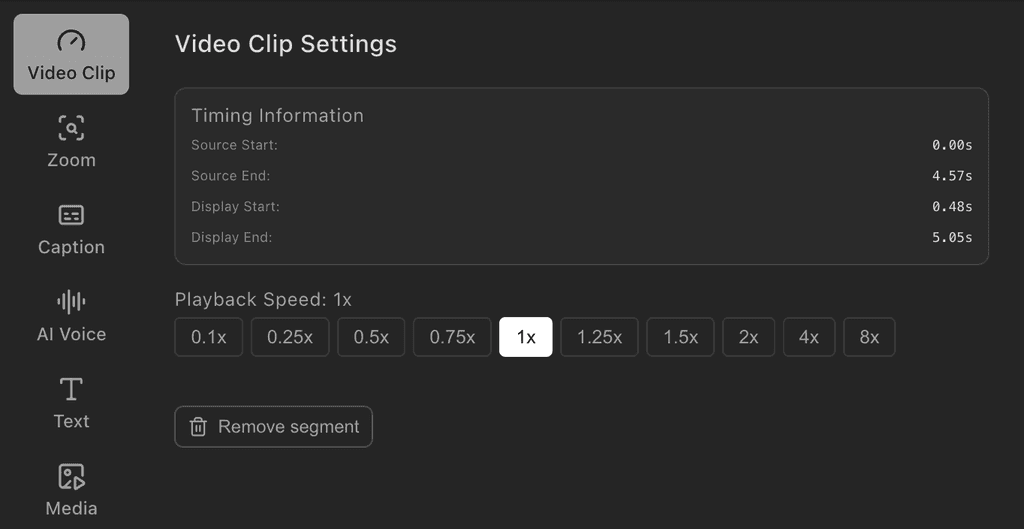
Renamed "Video Clip" tab to "Speed" and made it always visible

Improved the recording stability, especially for longer videos

Various UX improvements

Bug Fixes:

Fixed file references becoming stale after renaming a project

Fixed an edge case to improve export stability

2.9.0

A huge update we have been preparing for the last 2-3 months, with following updates:

Recording:

Multi-clip recording support: record multiple clips in a single project and export them together

Redesigned Window Picker with thumbnail previews for easier window selection

Exporting:

10x faster video export

4K export and resolution upscaling support

Playback:

Upgraded the entire playback engine in editor for smooth frame precise playback across clips

Rendering:

Improved rendering quality, especially around anti-aliasing, video frames render more smoothly

Video Corner Rounding with smooth macOS-style curves for a polished look when using backgrounds

Video overlays: add videos on top of the main recording on media tracks

Zoom:

Zoom Animation Speed control lets you choose Fast, Normal, or Slow zoom transitions

Mask:

Improved mask blur quality

Mask blur upgraded to a simple 3-level selector (Low, Medium, High) replacing the slider, with improved default intensity

Captions:

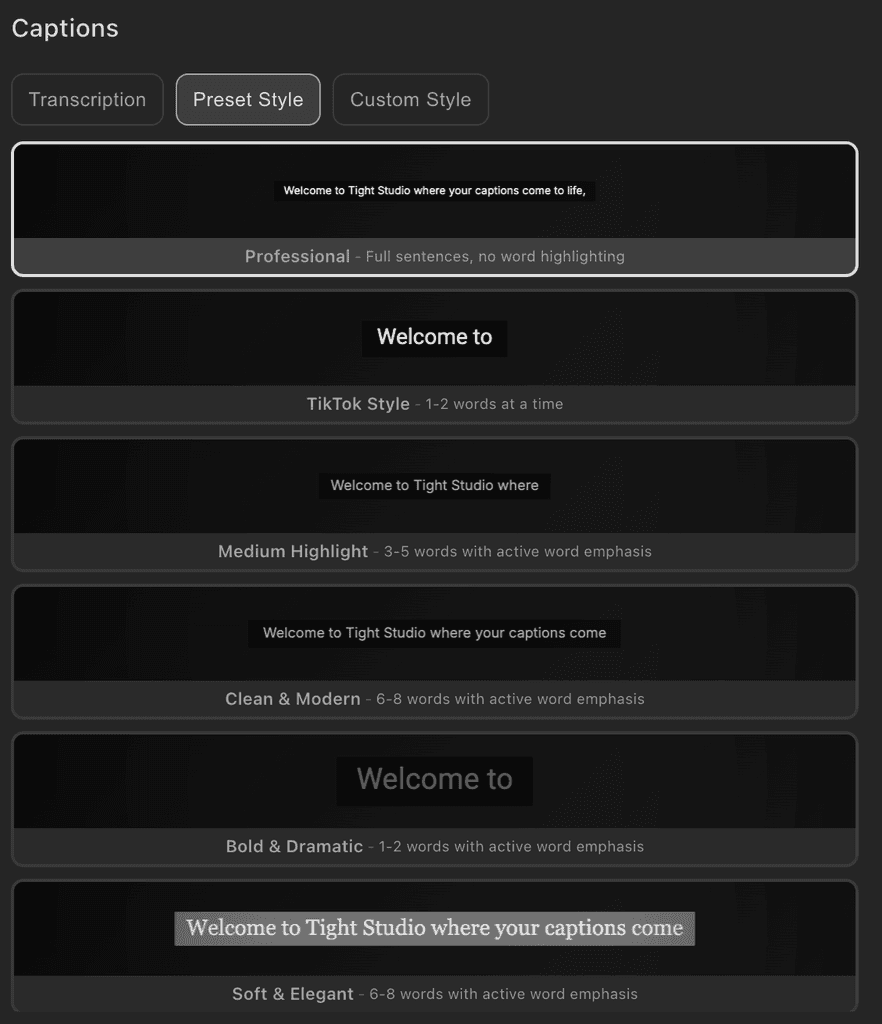
Caption Style Settings extracted into its own dedicated tab for easier customization

Text Overlays:

Improved Text Overlays with auto-sizing borders that fit text content, and snap lines for precise alignment when dragging

File management:

Renamed from "Projects" to "Videos"

Added ability to trash a video / clip and recover from trash

Added ability to duplicate video from the home page

Editor:

Edits are auto-saved now to prevent loss of edit history

Redesigned settings panel with full-height navigation

Smoother drag interactions across the entire editor

Auto-hiding scrollbars in home page and settings panel for a cleaner interface

Design:

Redesigned layout of home page in preparation for future extensions

Made a cohesive color system for the editor / home pages

Lots of small UI/UX improvements

2.6.3

Fixed an issue with the pitch of the original audio for video export.

2.6.2

Improved robustness of recording to fix the issue that sometimes recording does not start.

2.6.1

Fixed an issue where export fails due to audio buffer memory leak

2.6.0

Improved recording reliability, made the metadata extraction more robust

2.5.9

Fixes:

Fixed subscription / credit checking frozen issues that happen occasionally

Improved robustness for windows fetching when starting recording

2.5.8

Fixed small UI issue on the recording panel when the system is in dark mode

2.5.7

New feature:

Users can now export videos that do not contain screen recordings at all

2.5.6

Improvements:

Small improvement for the camera preview window

Added logging for export performance

2.5.5

Improvements:

Recording architecture upgrade to improve robustness

Improved reliability of recording when user pause multiple times

Increased limit for caption generation from 10 minutes to 30 minutes

2.5.4

Improvements:

Further improved reliability of recording for monitors that is >4k in resolution, previously the system does not start recording for these high resolution monitors

2.5.3

Improvements:

Improved logging to help track reliability of recording

2.5.2

Improvements:

Further improved reliability of recording

2.5.1

Improvements:

Improved reliability of the permissions setting configuration

2.5.0

Improvements:

Much more robust recording when user tries to record another monitor

Greatly improved UX for recording components

Made export smoother by automatically using project file name as the export file name

Fixed a bug where opening "New Recording" from tray menu does not load

Fixed a bug where the window for reminding saving does not show up

2.4.2

Improvements:

Added more AI voices to select from

2.4.1

Improvements:

Fixed an edge case where editing project name will enter the project

Added all the proper file operation menu items for the home page window

2.4.0

New Features:

Introduced Starter vs Pro pricing tiers, Starter tier is for users who do not need AI features

Improvements:

Improvemented UI for segments and timeline sections

Improved how the system handles cursor rendering

2.3.0

New Features:

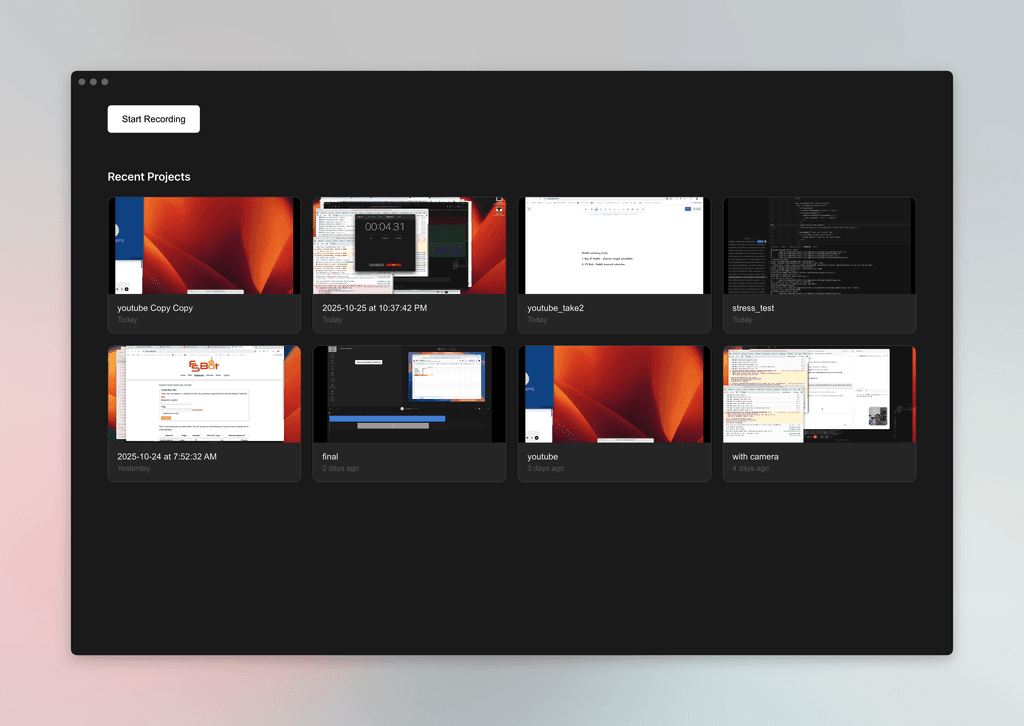
Added a new home page for easier project management

Improvements:

Improved video canvas rendering with more accurate dimension calculations for better visual quality

Improved camera shape and default settings for better appearance

Improved playback performance for imported video clips

Improved stability and robustness of recording

Enhanced video timeline display with better layering and visual organization

Enhanced video editing precision with improved drag thresholds for more accurate segment resizing

Stablized automatic credit top-up functionality to ensure credit is topped up on time

Implemented emergency auto-save feature to protect your work against unexpected crashes or data loss

Better error tracking and reporting to help us fix issues faster

Bug Fixes:

Fixed mask crop tool minimum dimensions to prevent unusably small selections

Fixed mask creation timing to use paused display time for more precise positioning

Version 2.3.0 screenshot 1

2.2.0

Greatly improved performance for video preview and editing across the board.

2.1.6

New Features:

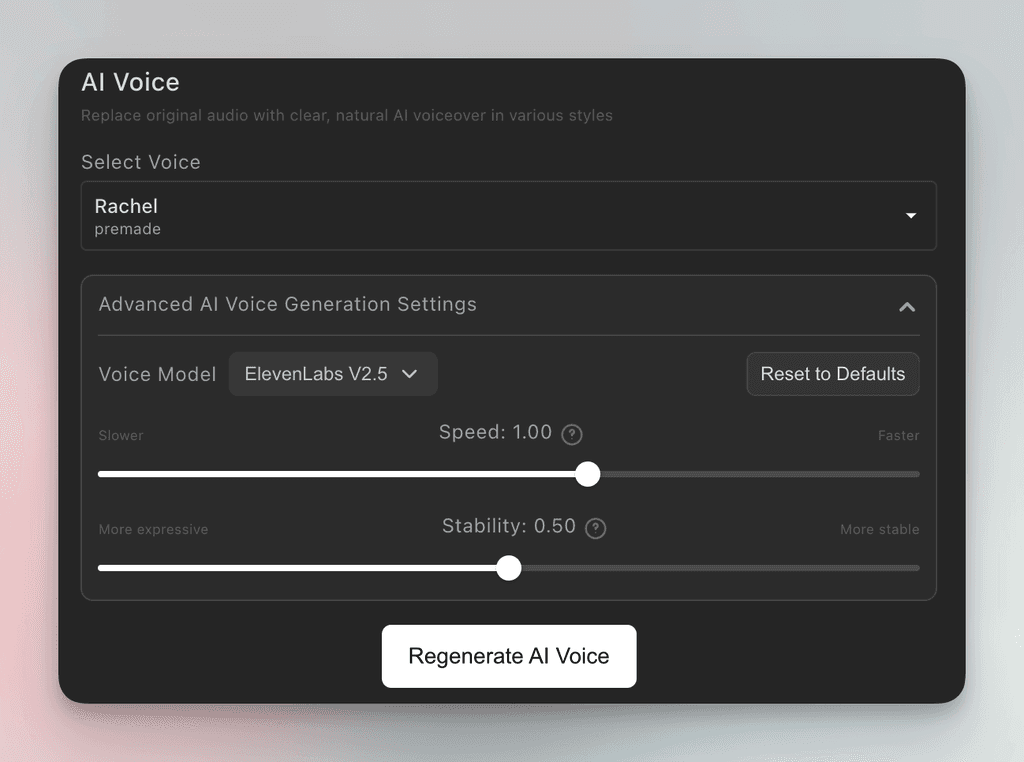
Added advanced AI voice generation controls

Version 2.1.6 screenshot 1

2.1.5

New Features:

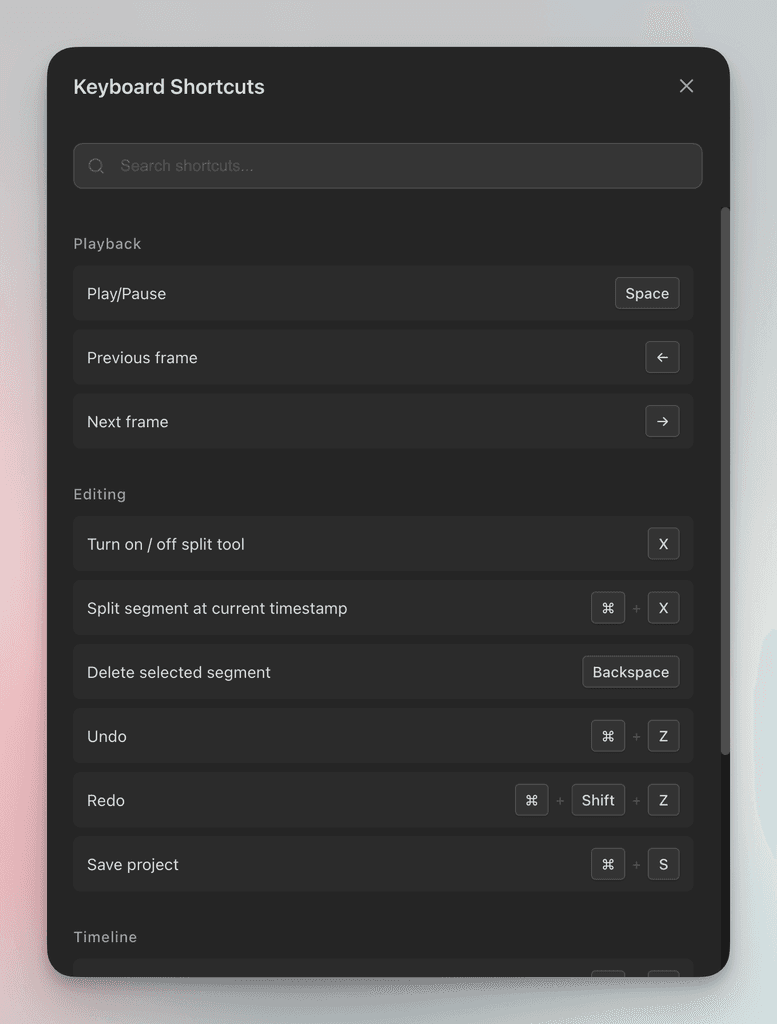
Keyboard shortcuts panel for faster editing workflow

"Apply to all" zoom settings for multiple segments

Segment splitting tool with X key shortcut

Round camera shape option with improved rendering

Improvements:

Enhanced camera settings and zoom controls

Better timeline navigation and hover previews

Enhanced AI voice settings and controls

Version 2.1.5 screenshot 1

2.1.4

Bug fixes:

Fixed exported AI voice quality issue due to audio frequency mismatch

2.1.2

Improvement:

Improved compatibility for older Mac systems

2.1.1

New Feature:

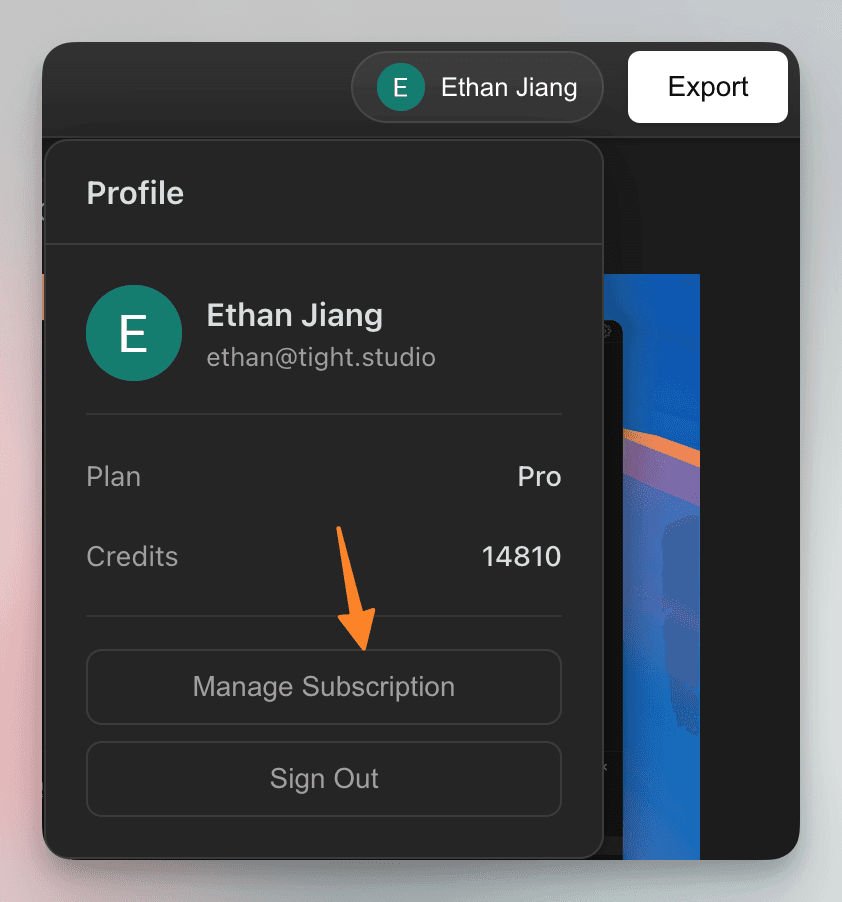
In app subscription management: open any video editor window -> log in -> click on user profile -> Manage Subscription

Version 2.1.1 screenshot 1

2.1.0

Improvements:

Smarter Auto-Zoom

Streamlined video thumbnail generation and extraction for faster timeline scrubbing and more responsive editing

Improved timeline cursor positioning for more precise video editing

Updated the default settings panel to open directly to the Zoom tab for quicker access to zoom controls

Improved AI Caption Synchronization

We are launching on Product Hunt!

2.0.7

Improvements:

Enhanced timeline scrolling performance with optimized video thumbnail extraction for smoother navigation through your projects

Improved AI voice regeneration with better error handling and clearer notifications when voice generation succeeds or fails

Better timeline interaction with refined layout and more responsive controls for easier editing

Bug Fixes:

Fixed AI caption synchronization issues when moving AI voice segments in the timeline

2.0.6

New Features:

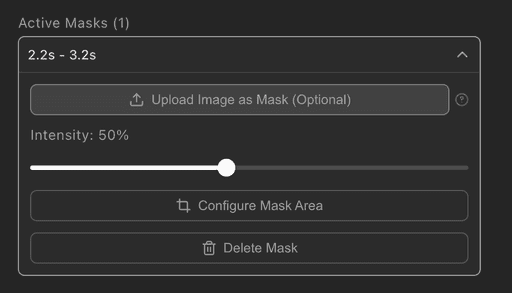
Mask Image Overlay: Add custom mask images to cover original recording

Variable Speed Controls: Adjust video playback speed with expanded speed options for more creative control over your content

Auto-Regenerate AI Voice: Automatically regenerate AI voice segments when captions are edited, with instant feedback and success indicators

Improvements:

Improved caption timing accuracy for AI voice to avoid lagging captions

Improved caption management with more efficient segment retrieval, and reliability for rendering and exporting in different situations

Improved rendering performance for music segments

Improved text positioning with stable calculations and enhanced overlay rendering

Bug Fixes:

Audio device now includes Bluetooth devices

Version 2.0.6 screenshot 1 Version 2.0.6 screenshot 2

2.0.5

Improvements:

Enhanced AI voice regeneration with success feedback - you now see a checkmark when voice regeneration completes successfully

Improved AI voice preview playback

Enhanced zoom segment management with better organization

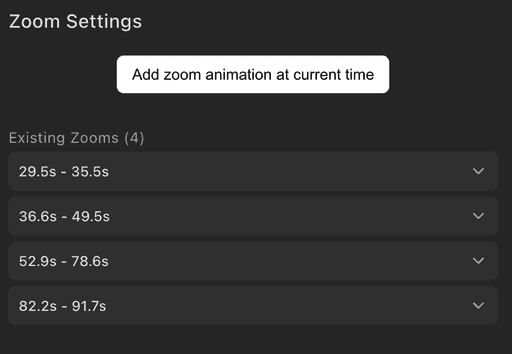
Improved zoom settings interface with gap detection to help you place new zoom segments more precisely

Quick navigation to zoom segments - click on a zoom segment to instantly jump to its start time

Streamlined zoom settings layout for clearer manual zoom mode controls

Added "New Recording" option to File menu with Command+N keyboard shortcut for quick access to start new recordings

Version 2.0.5 screenshot 1

2.0.4

Improvements:

AI voice: includes more voices from ElevenLabs, add loading indicator when voice is loading

Better UI wording for timeline visibility controls

Recording stability improvements

2.0.3

Bug Fixes:

Fixed caption rendering over imported media

2.0.2

Bug Fixes:

Fixed audio device issue to filter out unnecessary ones

2.0.1

Bug Fixes:

Fixed export frame precision issues

Fixed audio codec for exporting to support X better

2.0.0

New Features:

Add ability to regenerate AI voiceovers for a single caption segment with consistent results

Improvements:

Enhanced media rendering pipeline for more reliable video processing

Updated AI voice components with cleaner AudioLines icons

Improved video track timeline with simplified scrolling and styling

Better timeline navigation with enhanced zoom controls

More intuitive AI voice segment management and controls

Copy all text and media segments to clipboard for easy sharing and backup

Added undo-redo support for caption style changes and font family adjustments

Bug Fixes:

Fixed export issues in the canvas rendering service for reliable video output

Corrected caption rendering logic for better text display accuracy

Fixed zoom functionality in export service for consistent video scaling

Version 2.0.0 screenshot 1

1.5.0

New Features:

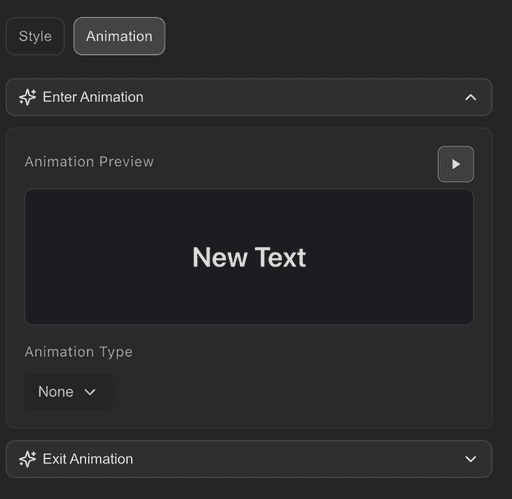
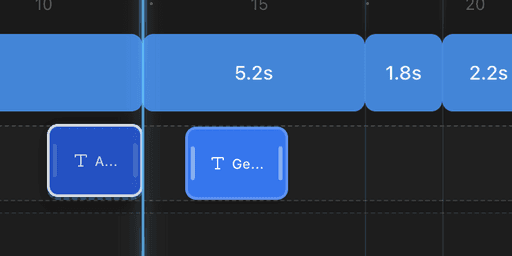
Exit animations for text and image segments with smooth fade and slide effects

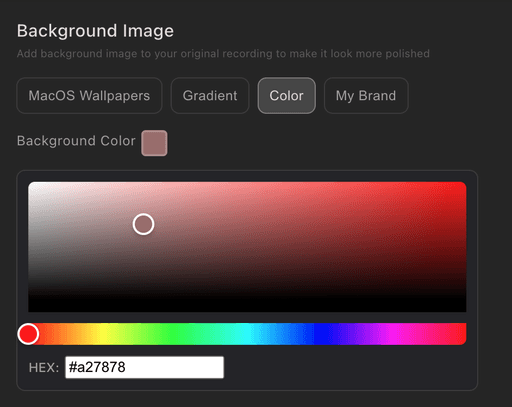
Enhanced background settings with solid color options alongside wallpapers

Improvements:

Improved caption synchronization with source timing support

Version 1.5.0 screenshot 1 Version 1.5.0 screenshot 2

1.4.3

Bug Fixes:

Fixed original video track element insertion / resizing issues

Fixed camera playback syncing issues

1.4.2

Bug Fixes:

Fixed camera recording synchornization issue

Fixed text overlay on top of camera streams

1.4.1

New Features:

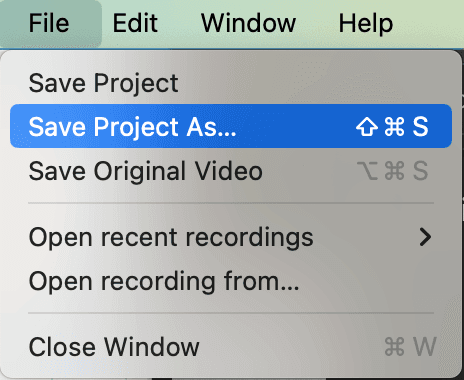
Save projects with different names using "Save Project As" for better project organization

Improvements:

Enhanced video playback performance with improved media handling and controls

Bug Fixes:

Fixed cropper tool default settings for more consistent behavior

Resolved zoom timing synchronization issues for smoother zoom animations

Version 1.4.1 screenshot 1

1.4.0

New Features:

Copy and paste text segments with keyboard shortcuts for faster editing

Added magnetic snap assistance lines for alignment of different elements

Improvements:

Improved text elements editing

Enhanced video rendering performance with optimized texture management

Improved scrollbar experience in timeline section

Bug Fixes:

Fixed zoom export edge case that affected the first frame of exported videos

Version 1.4.0 screenshot 1

1.3.3

Improvements:

Improved timeline scrolling with always-visible scrollbars for better navigation

More flexible timeline sizing with expanded height range for different workflows

Improved caption editing experience

Bug Fixes:

Fixed audio export to be more robust

Corrected click sound volume during export for consistent audio experience

1.3.2

Improvements:

Confirmation dialog when deleting caption segments

Standardized export frame rate to 30 FPS for better compatibility

Improved recording stability with updated core components

Bug Fixes:

Fixed incorrect time calculations for split video segments in timeline

1.3.1

New Features:

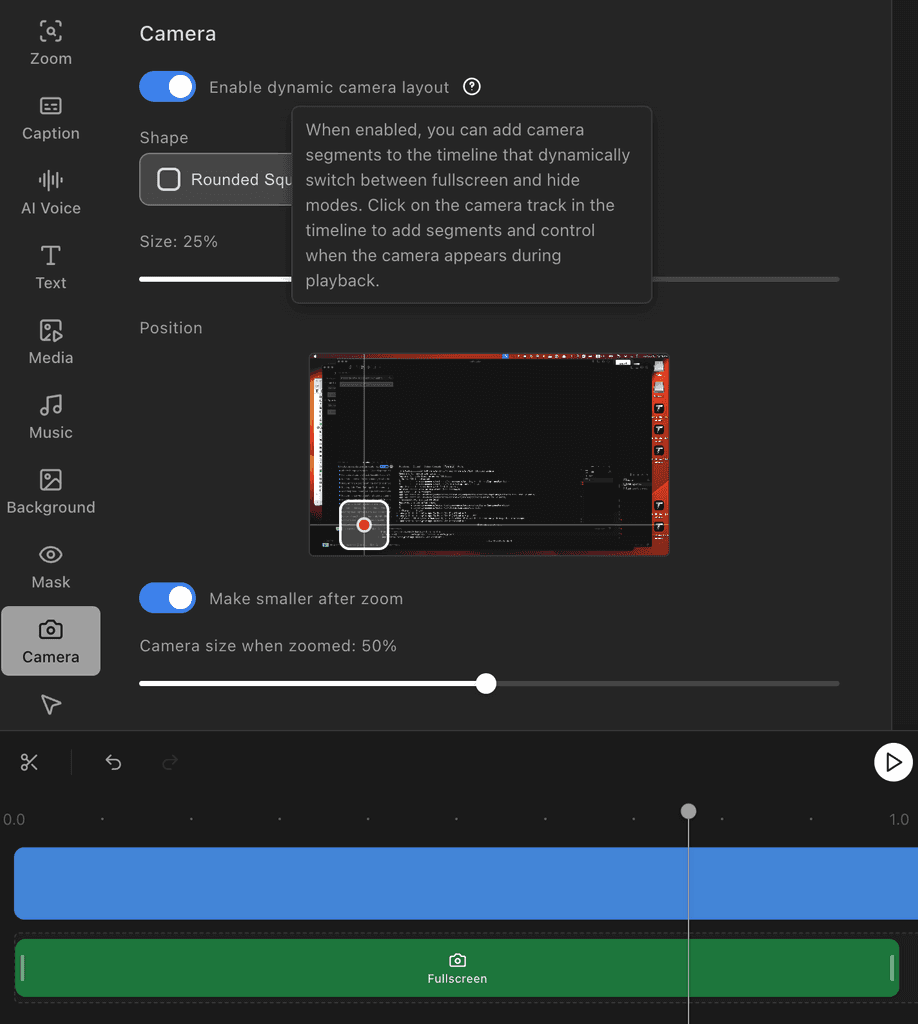
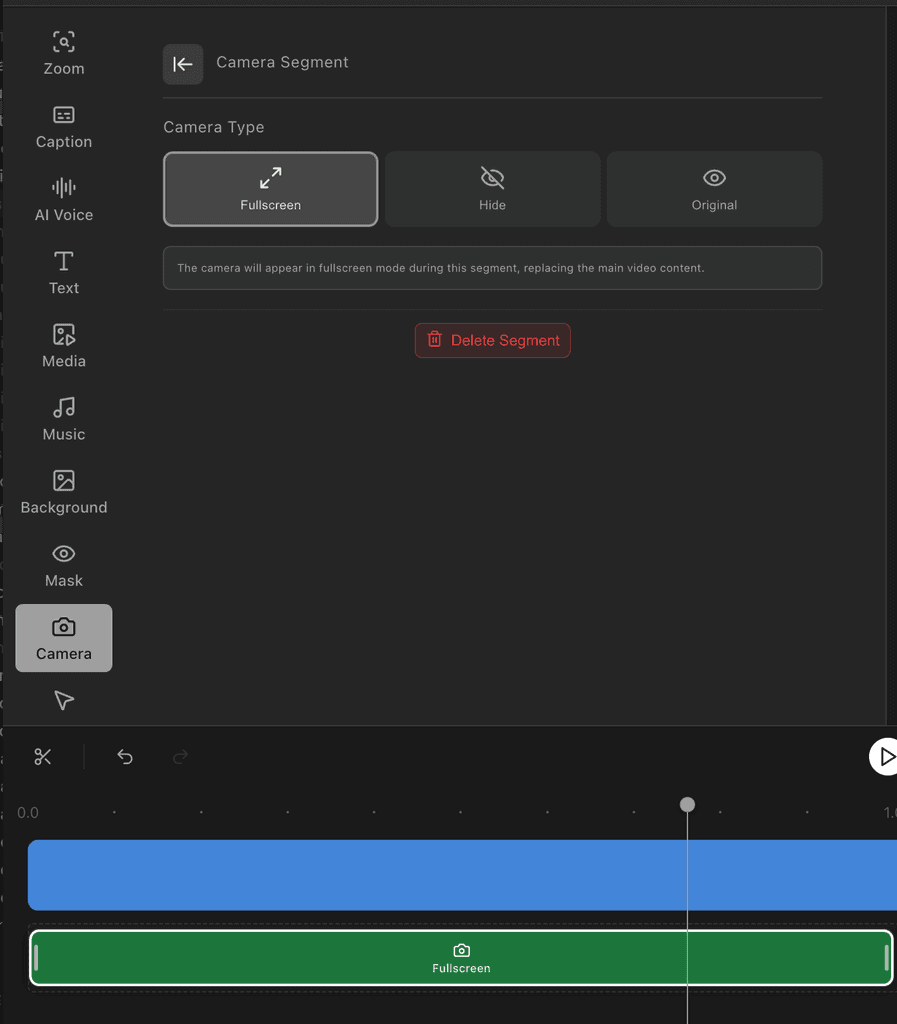
Dynamic Camera Layout

Move and resize your camera anywhere on screen while recording

Drag camera to perfect position with smooth controls

Switch between circle and square camera shapes

Camera position saves with your project for consistent editing

Enhanced Undo/Redo

Undo and redo now work with camera position changes

Better history tracking for crop adjustments

More reliable undo for all editing actions

Improvements:

Better Caption Editing

Improved caption selection in timeline

More accurate caption timing when inserting new segments

Fixed caption visibility issues in timeline

Cleaner Interface

Consistent controls across all settings panels

Helpful descriptions for all settings

Empty state messages guide you when features aren't available

Improved button and slider designs throughout

Smoother Zoom Experience

Better handling of zoom settings during export

Improved zoom transitions in fullscreen mode

More accurate aspect ratio calculations

Bug Fixes:

Fixed caption track display issues

Resolved camera segment deletion problems

Fixed fullscreen video aspect ratio stretching

Corrected UI inconsistencies in settings panels

Version 1.3.1 screenshot 1 Version 1.3.1 screenshot 2

1.3.0

New Features:

Caption Editing

Edit captions word-by-word with simple double-click

Insert new words anywhere in your captions

Add or delete caption segments for perfect timing

Audio & Media Controls

Control volume for individual video and audio clips

Add background music or voiceovers with full audio support

See real-time audio levels with improved volume meters during recording

Improvements:

Better Caption Experience

Captions now fit better on screen with improved text display

Cleaner layout with better spacing between caption segments

Smart detection when no speech is found in your recording

More intuitive caption editing with helpful tooltips

Smoother Animations

Zoom transitions are now buttery smooth and consistent

Better handling when zoom points are close together

More natural mouse tracking during zooms

Improved animation timing throughout the app

Enhanced Reliability

Audio devices connect more reliably

Better media panel with cleaner controls

Improved video playback performance

Faster and more stable exports

Bug Fixes:

Resolved camera preview not closing properly

Fixed problems when no speech was detected in recordings

Corrected zoom animation stuttering

Fixed various animation timing issues

1.2.2

New Features:

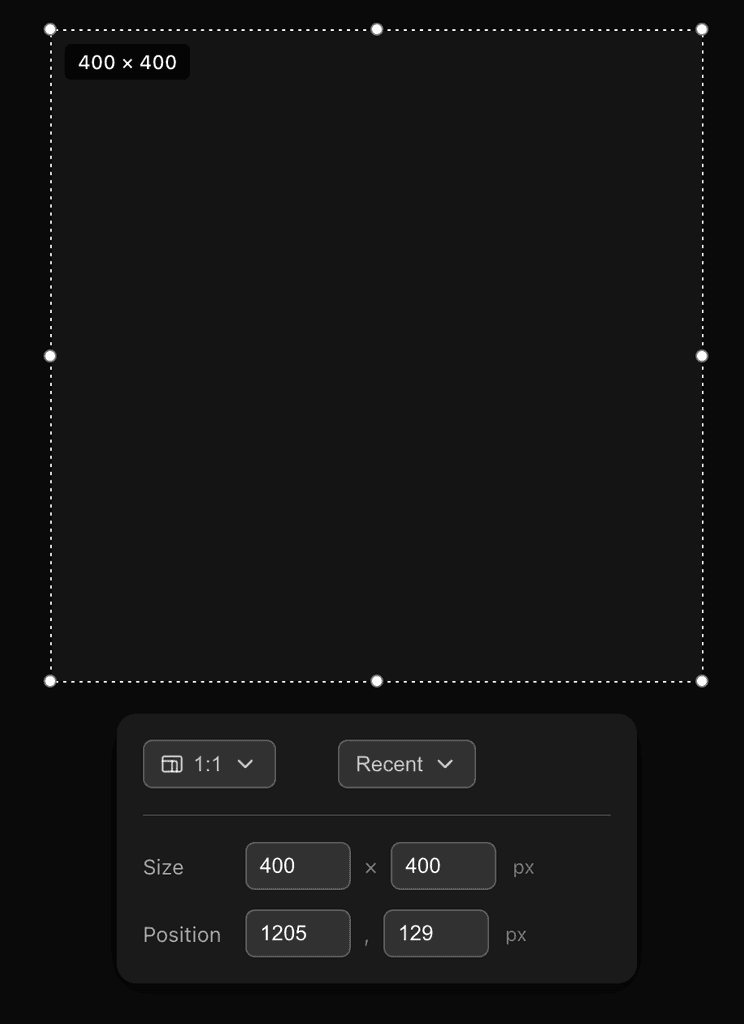
Improved crop area selection with aspect ratio and recent selection

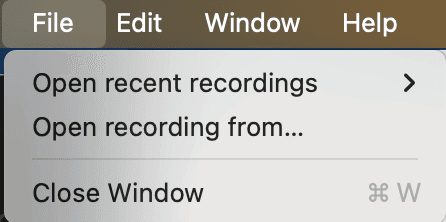
Improved project opening experience with menu items added

Version 1.2.2 screenshot 1 Version 1.2.2 screenshot 2

1.2.1

New Features:

Model and aspect ratio selection for AI media generation

Bug Fixes:

Fixed music export functionality

Various other bug fixes

Improvements:

Improved video editor performance with optimized state management

Enhanced music playback reliability

1.2.0

New Features:

New mouse click animation effect

Improvements:

Improved AI caption segmentation for more natural breaks

various bug fixes

Version 1.2.0 screenshot 1

1.1.0

New Features:

Added GIF export

Added customized branded background image

Version 1.1.0 screenshot 1

1.0.4

Fixes:

Exporting becomes more stable with long recordings

1.0.3

Improvements:

Electron system upgrades for stability improvement

1.0.2

Bug Fixes:

Fixed video export issue for different mac machines

Lowered minimal Mac OS version to 13

1.0.1

New Features:

Extended caption font library with 10 new professional fonts

Improvements:

Enhanced caption styling with better fonts and shadows

Smarter caption segmentation at natural sentence breaks

More accurate auto-zoom cursor tracking

Bug Fixes:

Fixed video preview freezing issues

Resolved caption timing synchronization

Fixed auto-zoom behavior at recording end

Fixed camera preview cleanup on app close

1.0.0

We launched for public access!

New Features:

Intelligent auto-zoom follows mouse movements and clicks

Cinematic Ken Burns effect for smooth pan and zoom

Toggle between automatic and manual zoom modes

Auto-zoom on important areas with dwell zone detection

Improvements:

Smoother zoom transitions (default 500ms)

Enhanced cursor tracking and click visuals

More accurate cropping during zoom

Improved video player performance

Bug Fixes:

Fixed timing issues in zoom transitions

Resolved click detection in cropped areas

Removed unwanted clipboard notifications

Corrected preview alignment during frame capture

1.0-beta-2

New Features:

Open projects with double-click on .tightstudio files

Add camera overlay with live preview

Create AI-powered captions (ElevenLabs, OpenAI, Gemini)

Customize backgrounds with macOS themes

Smart auto-zoom follows the action

View audio waveforms for precise editing

Keyboard shortcuts (undo, redo, save, delete)

Add watermarks to exports

Remove filler words with one click

Edit captions word-by-word

Improvements:

Smoother video playback

Faster project loading

Better drag-and-drop feedback

Clearer permission requests

Automatic aspect ratio preservation

ESC to exit full-screen

More reliable audio export

Better app stability

Bug Fixes:

Fixed video click accuracy

Resolved caption positioning

Fixed camera sync issues

Corrected screen selection

Fixed zoom dragging

Fixed caption editing saves

Fixed background display

Better high-res display support

Fixed video export failures

Resolved login issues

1.0-beta-1

We launched on LinkedIn for invite-only testing!